【Information Security Advocacy】Campus Cybersecurity Guide: Understand AI Phishing and Social Engineering to Protect Your Accounts and Information
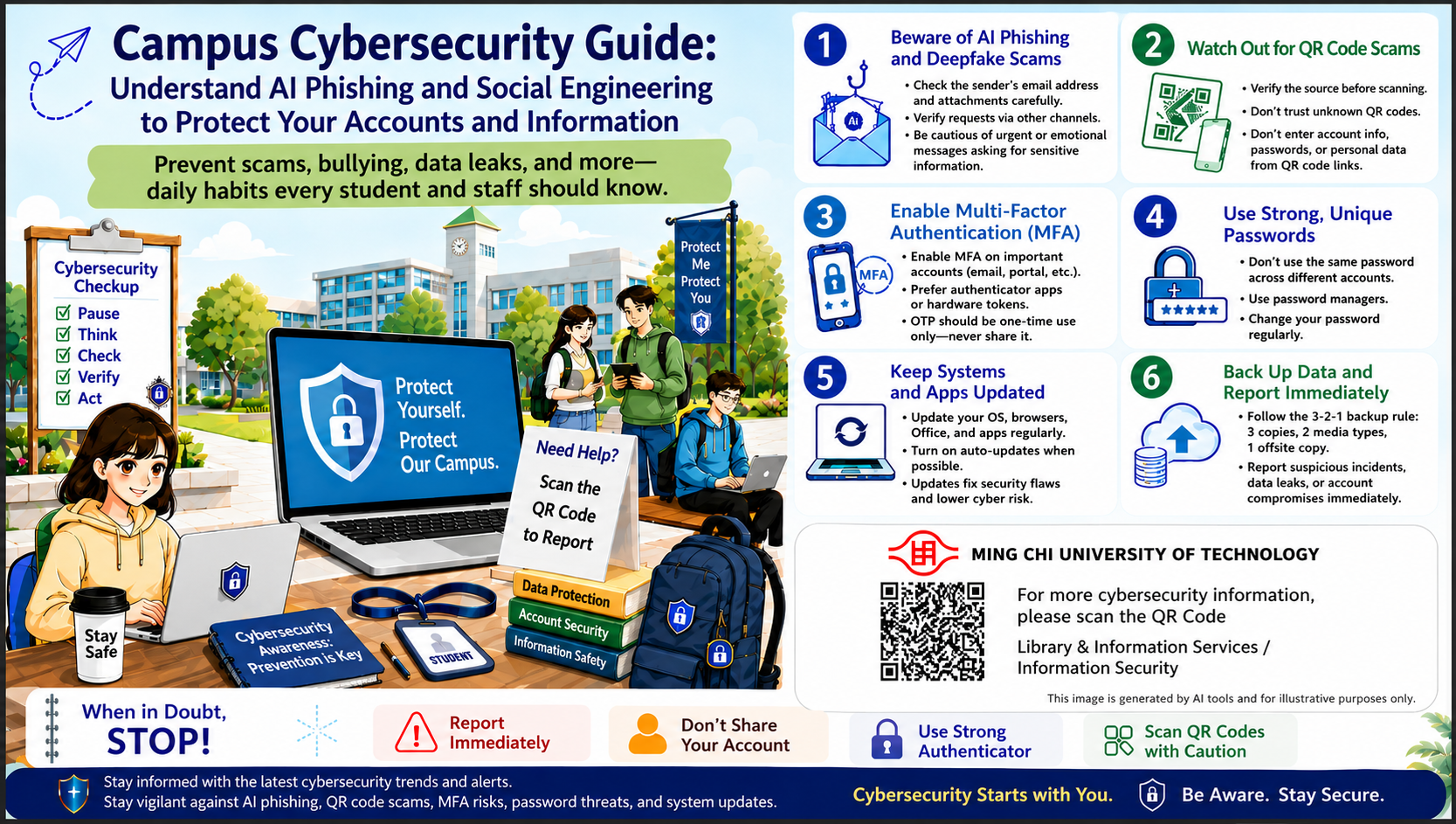
As AI-generated content, QR code phishing, social engineering emails, and credential theft techniques become increasingly realistic, campus cybersecurity can no longer rely solely on system defenses. It requires every faculty member, staff member, and student to stay alert. When encountering suspicious messages, abnormal links, QR codes, verification codes, or requests for account credentials, please develop the habit of “pause, think, check, and verify again” to avoid account compromise, personal data theft, or risks to campus systems.
Please pay special attention to the following cybersecurity points:
1. Beware of AI Phishing and Deepfake Scams
When receiving messages that ask you to provide information, make a payment, change account details, verify your identity, or click a link, first confirm whether the sender, link, and attachment are trustworthy. If the message sounds urgent, threatening, pressuring, or unusual, stay alert and verify through another trusted channel.
2. Watch Out for QR Code Phishing
Before scanning a QR code, confirm that the source is trustworthy. Do not scan unknown QR codes, and do not enter campus system accounts, passwords, financial information, or personal data on unfamiliar webpages.
3. Enable Multi-Factor Authentication (MFA)
Important accounts should have MFA enabled. Use an authenticator app or security key whenever possible. Never share OTPs, SMS verification codes, one-time passwords, or any verification information with others.
4. Use Long and Unique Passwords
Use different passwords for different accounts and avoid reusing the same credentials. It is recommended to use a password manager to create long, random, and strong passwords to reduce the risk of account compromise.
5. Update and Patch Promptly
Keep operating systems, browsers, Microsoft Office, and applications up to date. When update notifications appear, install them as soon as possible to reduce the risk of vulnerabilities being exploited.
6. Back Up Data and Report Incidents Proactively
Important data should be backed up regularly according to the 3-2-1 backup rule, with offsite or offline backups retained. If you discover suspicious emails, text messages, links, websites, account abnormalities, or suspected data leaks, report them to the information technology unit immediately.
When you encounter any of the following situations, please stop first:
Requests for immediate action, requests to enter account credentials, requests to provide verification codes, or requests to scan a QR code or click a link.
Cybersecurity protection starts with daily habits. Faculty, staff, and students are encouraged to strengthen cybersecurity awareness, protect their own accounts and personal data, and work together to safeguard campus information security.