


Q: Application for adding popular services to the school homepage A: Please go to the notes section and fill out the Web Page Update Request Form. Select the category "Web Content Update" or "Popular Focus on School Homepage".
publish date :
2024-04-25
update date :
2024-04-26
Q: Application for adding popular services to the school homepage
A: Please fill out the Web Page Update Request Form in the notes section, and select the category "Web Content Update" or "Popular Focus on School Homepage".
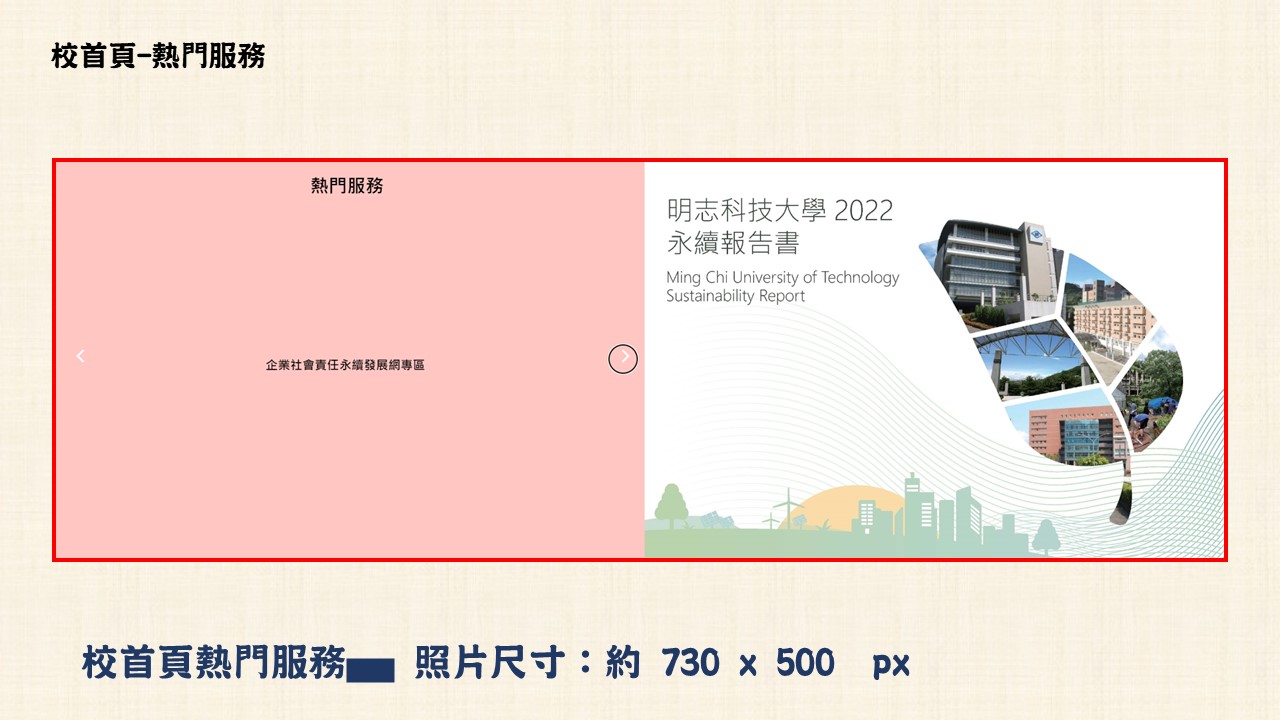
On the left side, provide the title and a brief description. On the right side, provide an icon (Popular Services on School Homepage - Image Size: 730 x 500 px).
Instructions for filling out: Provide an explanation for filling out the Web Page Update Request Form.
nstructions for filling out:Provide an explanation for filling out the Web Page Update Request Form
Organizer:
Library